---
title: EDK2 UEFI payload in RBoot
x-toc-enable: true
...
EDK2 is Intel's reference implementation of the UEFI boot specification. It is
free software, released under a BSD-style license; many proprietary vendors
fork it for their own products, but RBoot uses Intel's BSD licensed code
in a special fork that enables use as a coreboot payload. Full source code of this
EDK2 version is provided by RBoot in RBoot 26.11 or newer.
RBoot provides an entirely *free* distribution of EDK2, designed
specifically for use with RBoot.
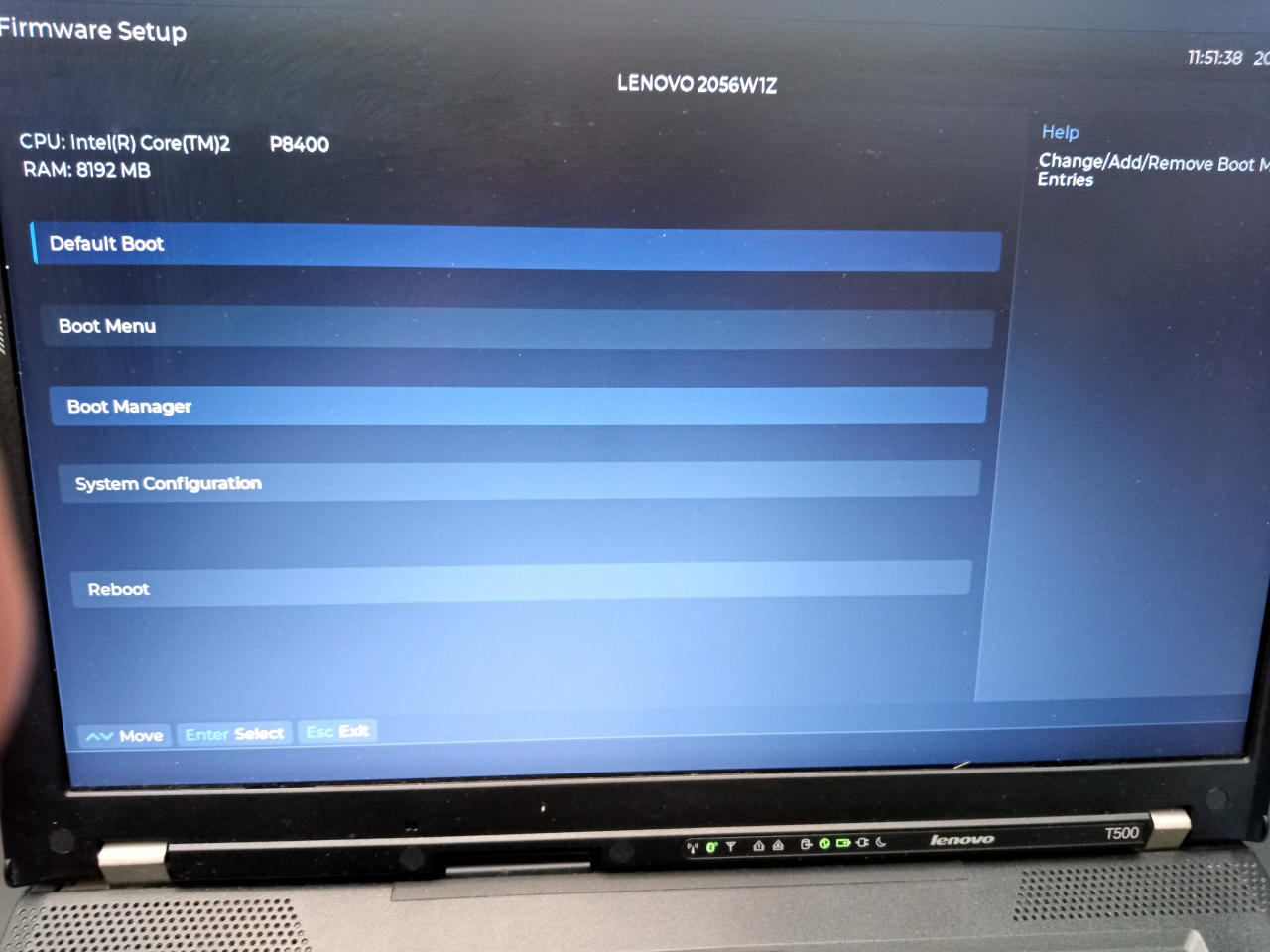 With this, RBoot provides a full industry-standard UEFI implementation,
capable of booting any UEFI-compliant operating system. Many GNU/Linux-libre
distributions can be booted much more reliable, with standard bootloaders; for
example, use of systemd-boot with UKI is possible. We recommend that you use
a *free* operating system on your RBoot machine,
such as [Parabola](https://www.parabola.nu/) - a full list of *free* system
distributions can be found
at . Parabola is the most recommended distribution
for RBoot development, as that is the libre distro upon which RBoot is most
strongly build-tested and it has all of the dependencies in pacman.
This page also contains general guidance about EDK2 on all boards that
use it, which is nearly all boards.
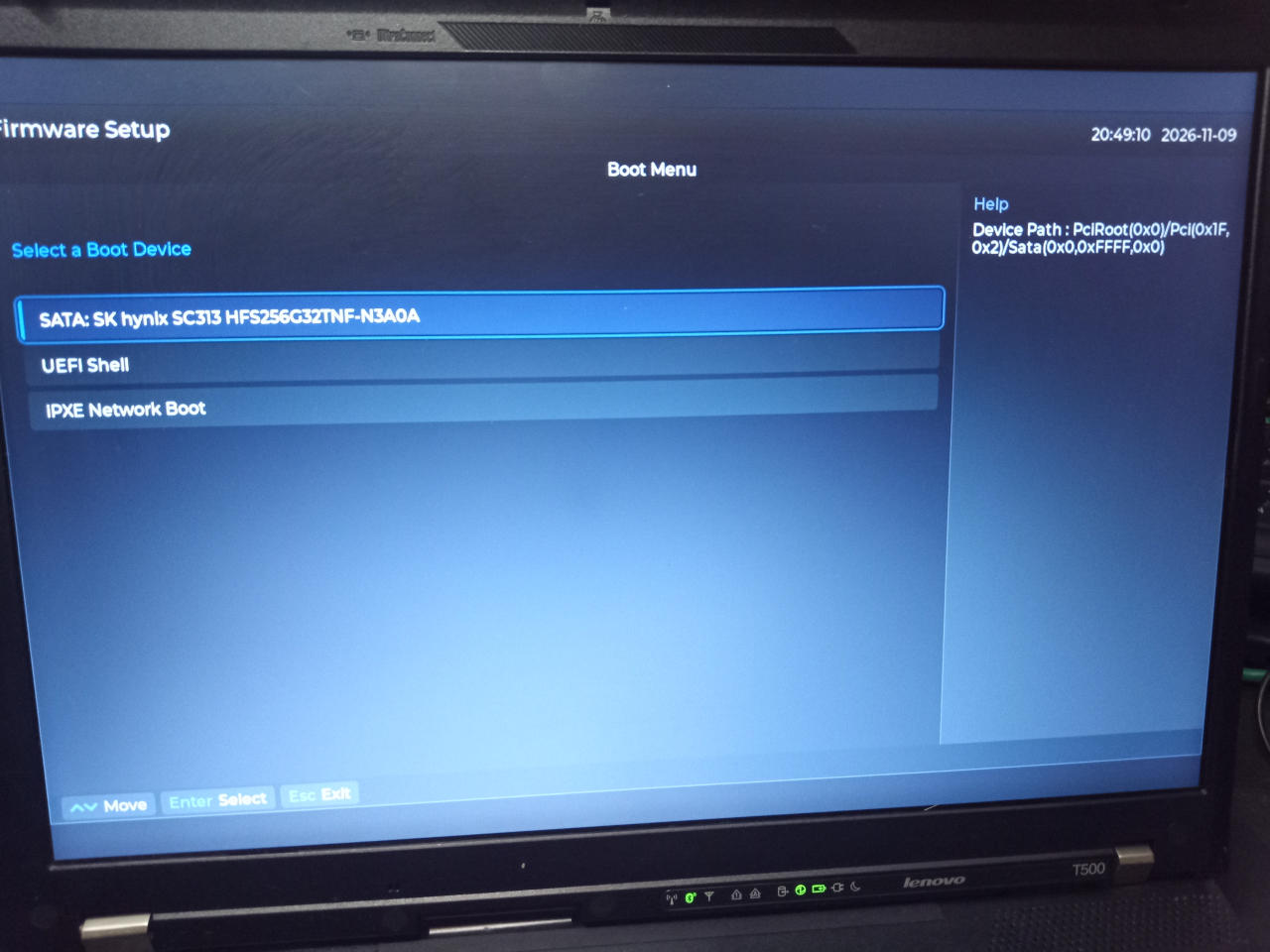 As shown in the photos, you can select a boot device; to change the automatic
boot order, go to *Boot Manager* in the menu, and a menu will be present that
lets you choose the order in which devices are booted. Press F10 to save any
changes, and press Y to confirm when prompted.
An iPXE payload is also provided in the build.
General EDK2 guidance
-----
**WARNING: If migrating from another coreboot setup, most setups will
likely use 512KB SMMSTORE, whereas RBoot uses 256KB SMMSTORE universally.
This ensures that RBoot EDK2 with SMMSTORE can usually fit in the flash,
with the smaller BIOS regions used in RBoot compared to some other
coreboot distros. Please adapt accordingly. RBoot intentionally uses the
[default vendor flash layout](ivy_has_common.md) on most boards, where an IFD
is used, so that you can flash just the BIOS region and optionally (to disable
the Intel ME) the IFD region to set the HAP bit. Please refer to the linked
guide. Thus, please flash the entire BIOS region if migrating. After that,
the notes below about fmap may be observed when upgrading from one RBoot
version to another.**
We use SMMSTORE by default. You can use this option in flashprog when
updating the ROM (ONLY if your current flash layout is identical to the
new one that you want to flash):
```
--fmap -i COREBOOT
```
Use these options in flashprog, to flash just the COREBOOT section. This avoids
overwriting SMMSTORE which contains settings, otherwise you will restore your
settings to default when updating.
Besides this, you can pretty much use EDK2 like you would any other UEFI
firmware. Most users should pick it up easily when they boot with it.
Boot an operating system
-------------
Users familiar with proprietary/vendor UEFI firmware will probably be able
to figure out RBoot's EDK2 interface, as it is the same firmware. We use
the version that is Free Software.
Nearly all Intel/AMD boards use the EDK2 payload *exclusively*, in RBoot.
A few legacy boards use the SeaBIOS payload instead; those that have EDK2,
only have EDK2, to avoid confusion.
Board support
-------------
The following boards have a *full* EDK2 UEFI payload available plus iPXE:
* `dell_latitude_e4300_4mb`
* `dell_latitude_e5420_6mb`
* `dell_latitude_e5520_6mb`
* `dell_latitude_e5530_12mb`
* `dell_latitude_e6230_12mb`
* `dell_latitude_e6330_12mb`
* `dell_latitude_e6400_gpu_intel_4mb`
* `dell_latitude_e6430_12mb`
* `dell_latitude_e6530_12mb`
* `dell_latitude_e7240_12mb`
* `dell_optiplex_7010_sff_12mb`
* `dell_optiplex_780_mt_8mb`
* `dell_optiplex_780_mt_truncate_8mb`
* `dell_optiplex_780_usff_8mb`
* `dell_optiplex_780_usff_truncate_8mb`
* `dell_optiplex_9020_mt_12mb`
* `dell_optiplex_9020_sff_12mb`
* `dell_precision_t1650_12mb`
* `hp_elite_8300_cmt_16mb`
* `hp_elite_8300_usdt_16mb`
* `hp_pro_3500series_8mb`
* `lenovo_thinkpad_r400_16mb`
* `lenovo_thinkpad_r400_4mb`
* `lenovo_thinkpad_r400_8mb`
* `lenovo_thinkpad_r500_4mb`
* `lenovo_thinkpad_t400_16mb`
* `lenovo_thinkpad_t400_4mb`
* `lenovo_thinkpad_t400_8mb`
* `lenovo_thinkpad_t430_12mb`
* `lenovo_thinkpad_t440p_12mb`
* `lenovo_thinkpad_t500_16mb`
* `lenovo_thinkpad_t500_4mb`
* `lenovo_thinkpad_t500_8mb`
* `lenovo_thinkpad_t530_12mb`
* `lenovo_thinkpad_w500_16mb`
* `lenovo_thinkpad_w500_4mb`
* `lenovo_thinkpad_w500_8mb`
* `lenovo_thinkpad_w530_12mb`
* `lenovo_thinkpad_w541_12mb`
* `lenovo_thinkpad_x200_16mb`
* `lenovo_thinkpad_x200_4mb`
* `lenovo_thinkpad_x200_8mb`
* `lenovo_thinkpad_x230_12mb`
* `lenovo_thinkpad_x230t_12mb`
* `lenovo_thinkpad_x301_16mb`
* `lenovo_thinkpad_x301_4mb`
* `lenovo_thinkpad_x301_8mb`
* `hp_elite_8200_sff_8mb`
* `lenovo_thinkpad_t420_8mb`
* `lenovo_thinkpad_t420s_8mb`
* `lenovo_thinkpad_t520_8mb`
* `lenovo_thinkpad_x220_8mb`
In RBoot 26.11 and up, EDK2 UEFI is now the preferred payload, and it is
recommended that users switch to use of this payload by default. This makes
booting operating systems much easier as it complies with the very standards
by which most distros are designed these days.
You can identify which image uses EDK2 because in RBoot 26.11 and up,
the image filename will start with `uefi_edk2`. By comparison, the legacy
setup will begin with `bios_seabios_` which does not have
EDK2; the txtmode `bios_seabios_` setup may still be useful on some setups.
[//]: # "SPDX-License-Identifier: GFDL-1.3-or-later"